The Project: Effective and Context-Rich Meetings
Performance reviews are Topicflow’s core product, but reviews only happen a few times a year. Meetings — especially 1:1s — happen every week, and they’re where important feedback, coaching, and discussions actually take place. We saw an opportunity to capture ongoing team data, and feed it back into the review process, giving managers a clearer picture over time — not just at review season.
My Role
I held the same role here as on the reviews project — sole product designer, product manager, and customer success. I owned the design end-to-end, and coordinated with 4 engineers to build and ship these features.
The Problem: Managers Are Busy
Most managers we spoke with kept meeting notes in tools like Notion, OneNote, or Google Docs — if they kept notes at all. The problem wasn’t the note-taking itself; it was that their notes existed in isolation. Nothing connected a conversation from last Tuesday, to the review a manager would write six months later. Context was generated weekly, but lost almost immediately.
What Managers Actually Needed
In our interviews with managers, prospective customers, and existing customers, we identified what managers actually needed from a meetings tool on a day-to-day basis.
1
To quickly recall what was discussed in a previous meeting or 1:1.
2
Easily add notes, and discussion points to upcoming meetings and 1:1s.
3
Navigate freely between different meetings.
4
Understand themes and signals that they may not already know.
The Opportunity: Meeting Managers at Each Stage
Context is hard to keep track of. We wanted to support managers at each stage of their meeting workflow — before, during, and after. Our main focus was on 1:1 meetings, since those are where the most important feedback and coaching happens.
Finding the Right Level of Structure
Early on, I explored different levels of structure for the meeting experience. One direction was highly structured — predefined agenda templates, required fields, and automatic categorization. Another was completely freeform, closer to a shared document. Through testing with managers, we found that too much structure felt like busywork and too little meant the data wasn’t useful later. The sweet spot was a lightweight topic-based format that gave managers just enough structure to capture meaningful signals without adding friction to their workflow.
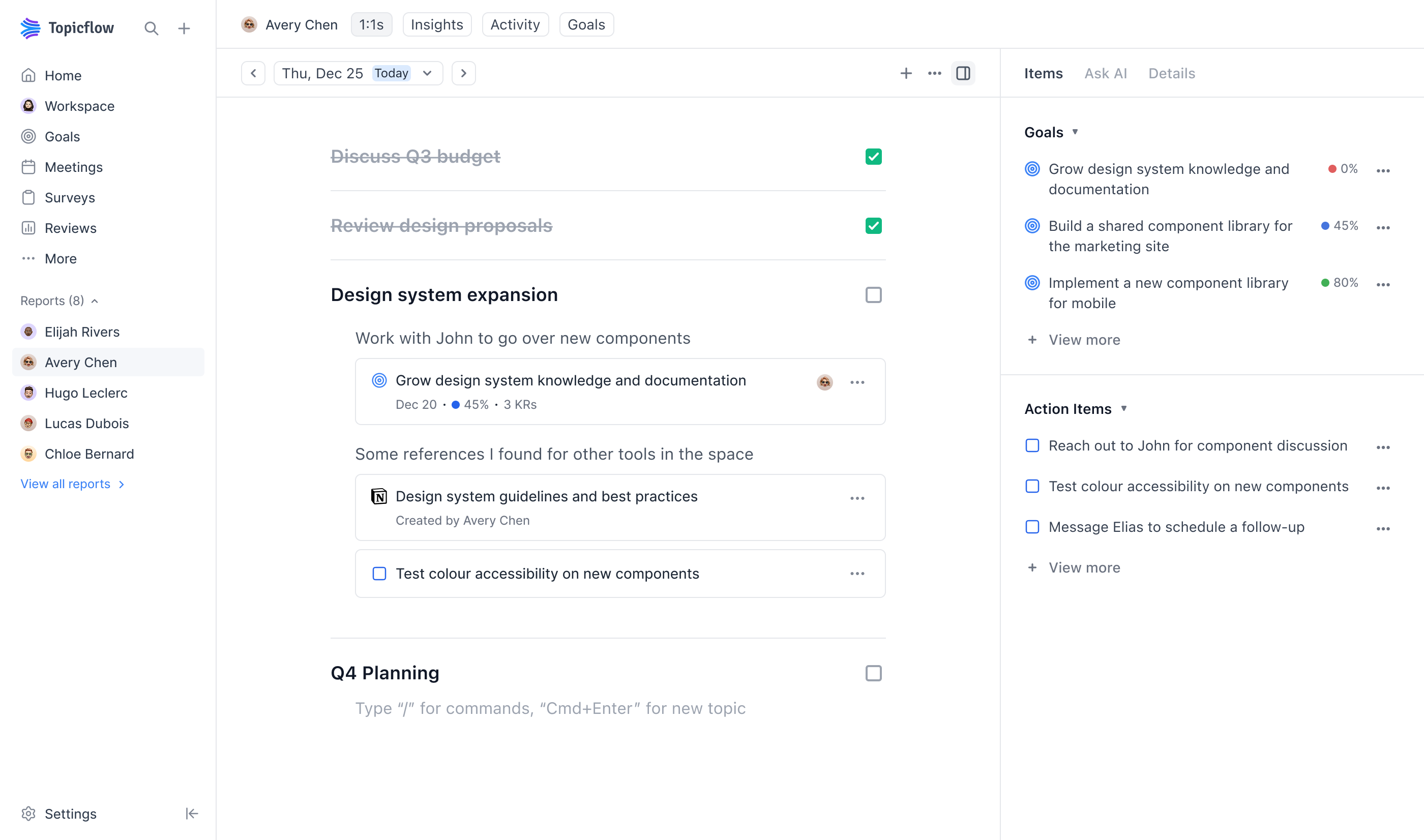
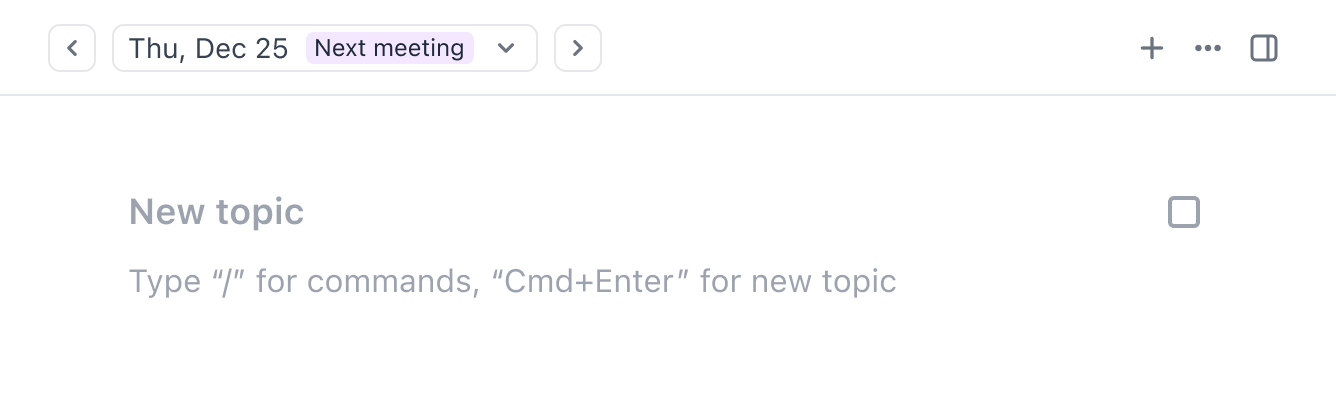
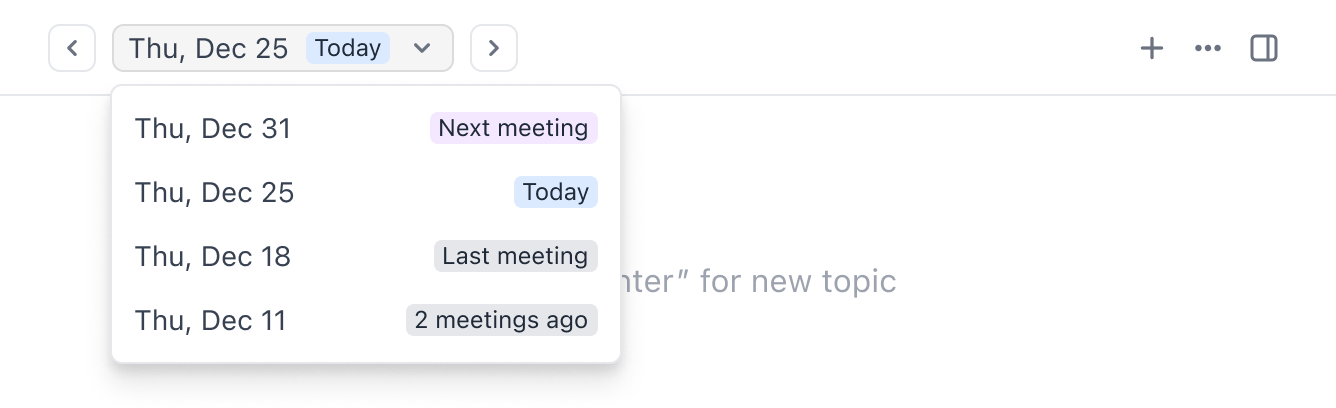
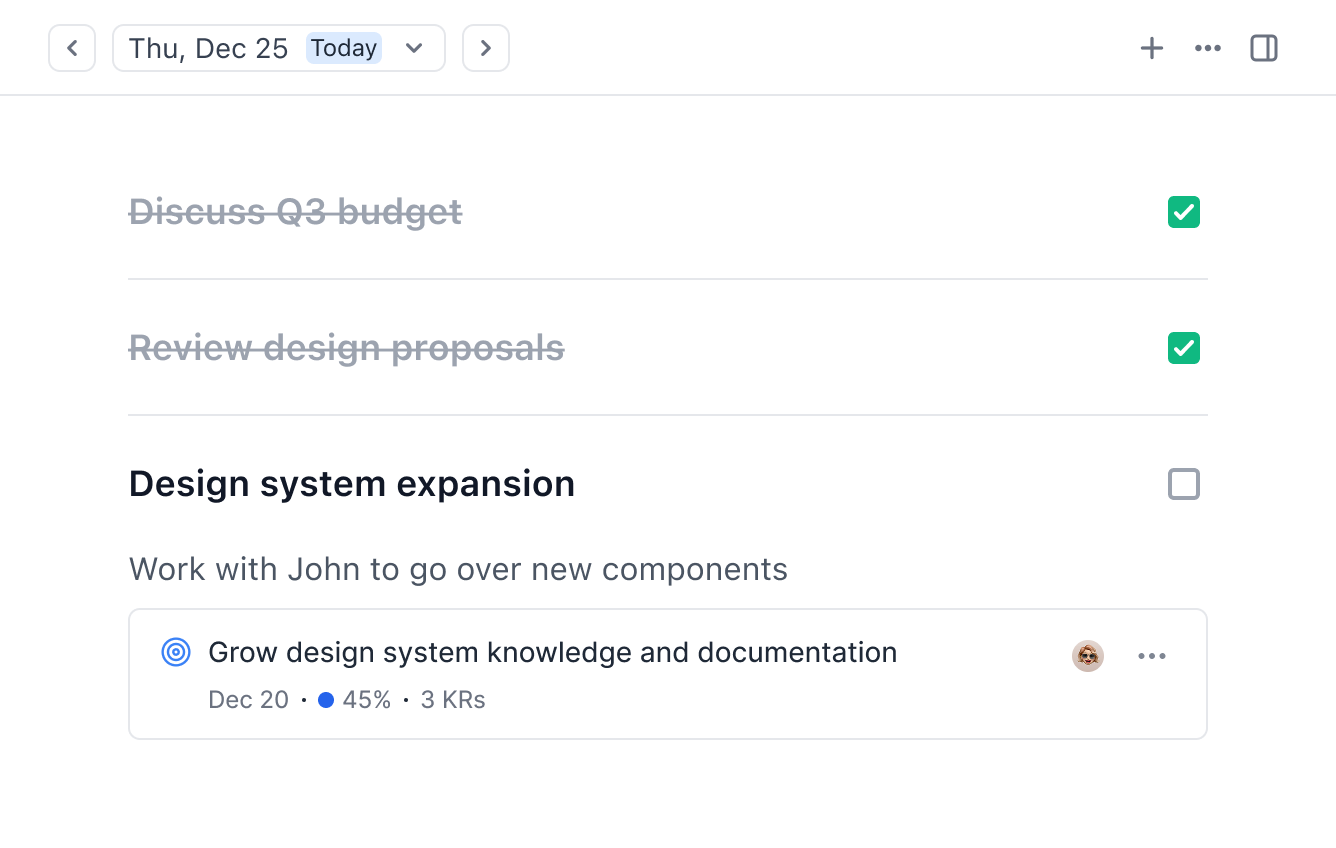
Starting from a blank slate needed to be easy, and managers needed to move efficiently between past, current, and upcoming meetings — adding topics or referencing previous discussions without friction. We also designed for topic tracking, so managers could see which discussions had been resolved, and which were still open.
Using AI to Help Make Sense
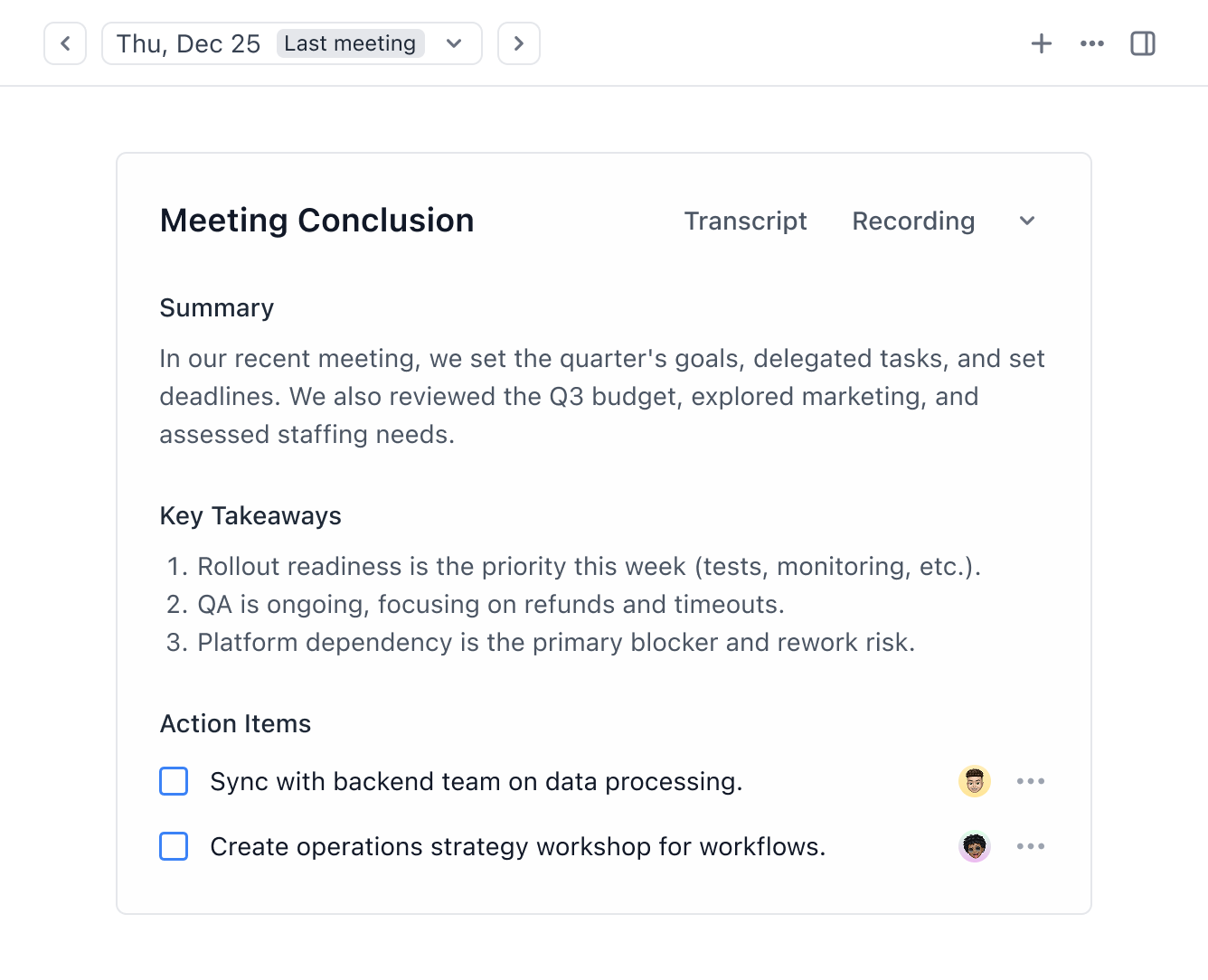
Remembering the specifics of a previous meeting can be difficult. When a manager navigates back to a previous meeting, the first thing they see is an AI-generated summary — key takeaways, action items, and a recap of what was covered. The notes are still available below, but the summary gives an immediate refresher.
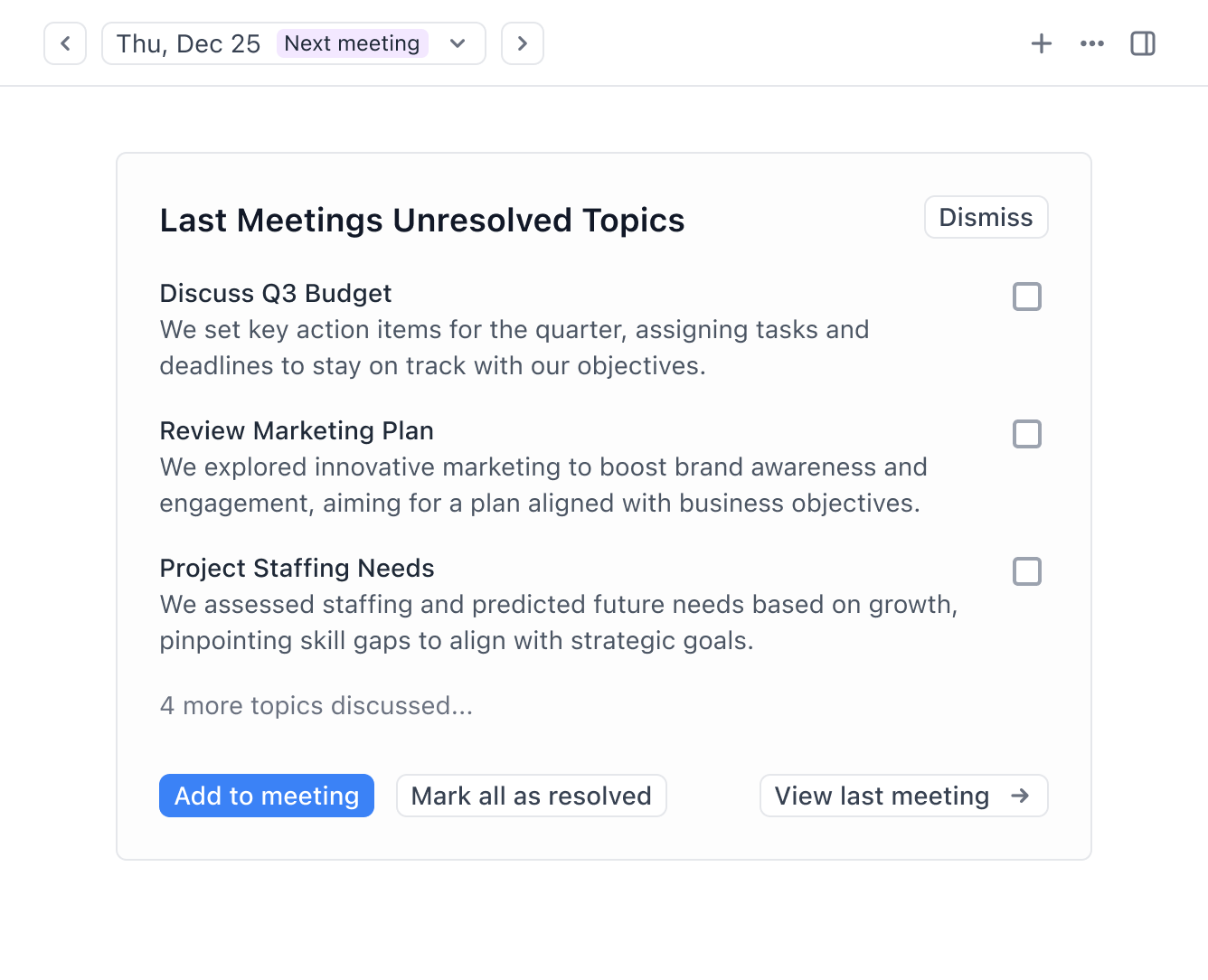
We carried that context forward into upcoming meetings as well. Any unresolved topics from the last meeting were surfaced automatically, and managers could add them to the next agenda, mark them as resolved, or dismiss the summary entirely.
Balancing Automation and Control
One of the key tensions in designing the AI features was how much to automate. Early versions generated summaries and action items automatically after every meeting, but managers told us they didn’t always trust AI-generated content appearing alongside their own notes. So, we pulled back and made the AI summary a clearly separated section — visible but not mixed into the notes themselves — and gave managers explicit control over which unresolved topics carried forward. The principle was that AI should surface information, not make decisions on a manager’s behalf.
Effective Navigation
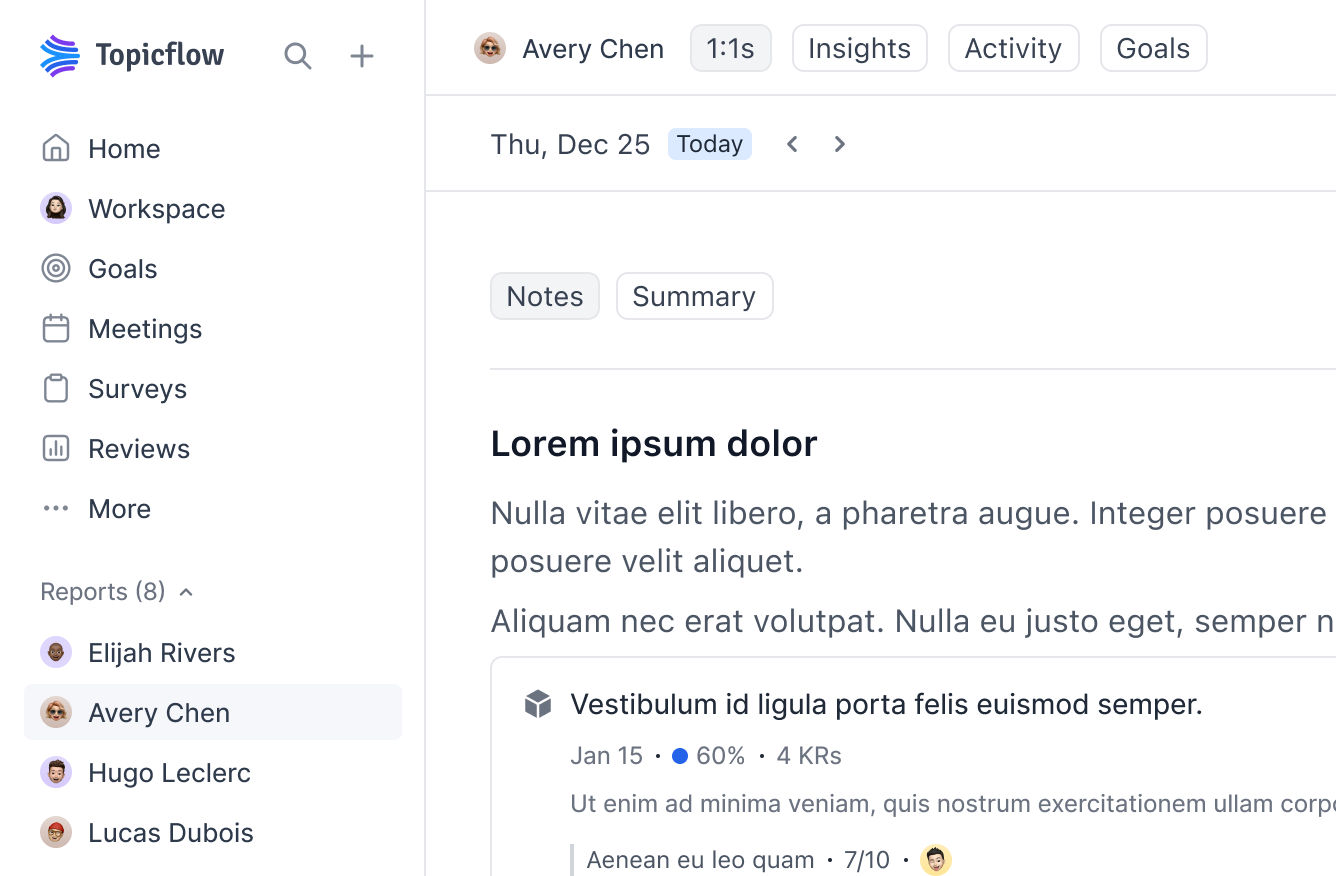
I designed the navigation to ensure managers could quickly move between their most common touchpoints. The sidebar surfaced each direct report, and clicking one brought the manager straight into the 1:1 space — where they could add notes to the next meeting, review previous meetings, catch up on activities, and surface insights they might have missed.
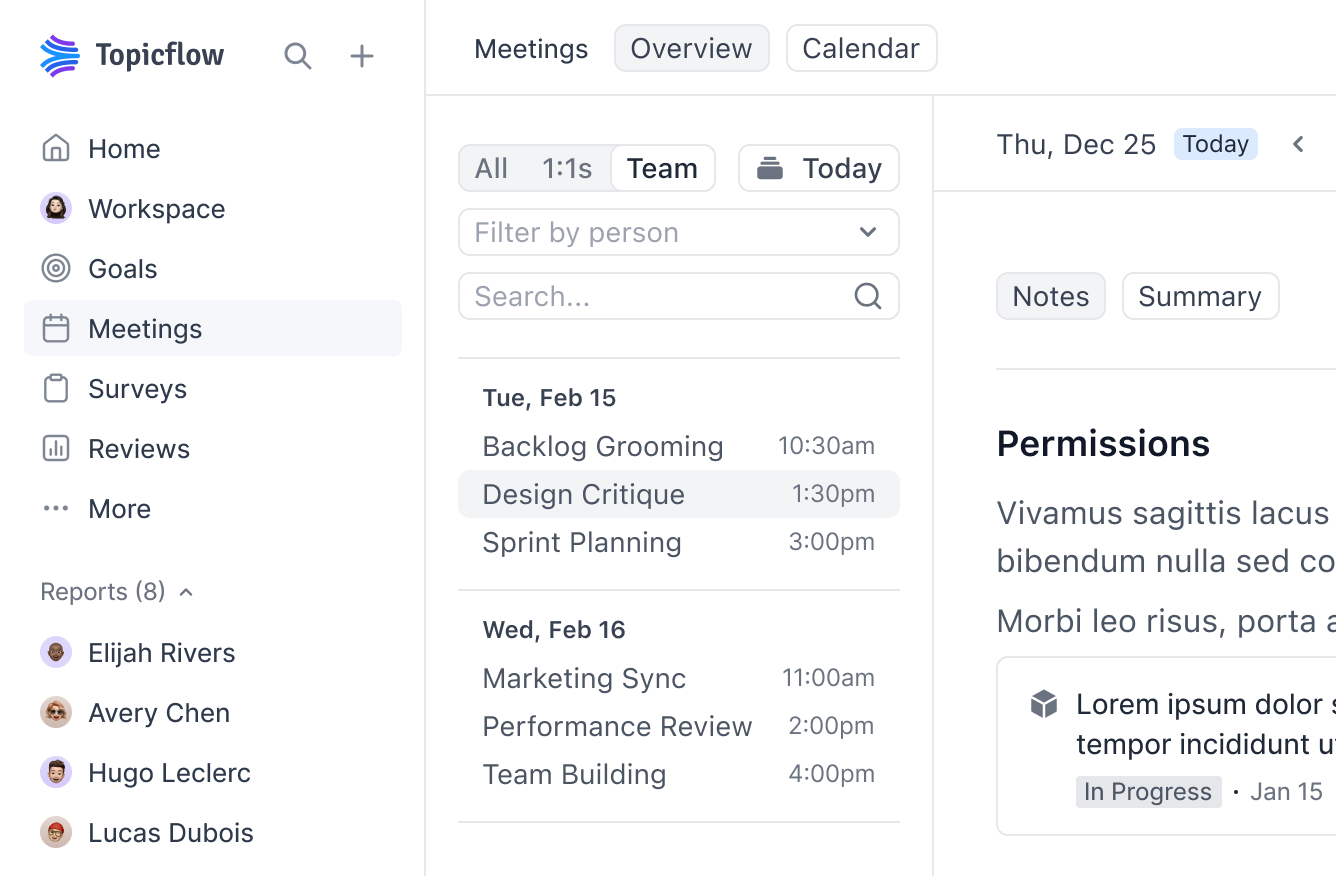
The same experience extended to team meetings. A dedicated meetings page allowed managers to view all recurring 1:1s, team meetings, or their work calendar. These layers of focus made it easy to jump between different meetings to add notes, or review past discussions.
Prototyping with Claude Code
To validate the core interactions around the meeting experience, I used Claude Code to rapidly generate functional prototypes. Rather than relying on static mockups, I built prototypes to test how the experience actually felt — navigating between meetings, adding and resolving topics, attaching objects, and typing notes.
These prototypes let me explore the nuances that are difficult to communicate in static designs — things like the flow of moving between a previous meeting and the one upcoming, the interaction of marking a topic as resolved, and how it feels to type and organize notes in real time. Being able to click through a working version made it much easier to identify friction points, and iterate on the design before involving engineering.
Here is an example of one of those prototypes: tf-notes.mjgibson.com.
Designing the Connection to Reviews
Meetings aren’t the core product — performance reviews are. This meant that the meetings feature had to do more than just be a good note-taking tool; it had to capture signals that would become useful months later when managers sat down to write their reviews.
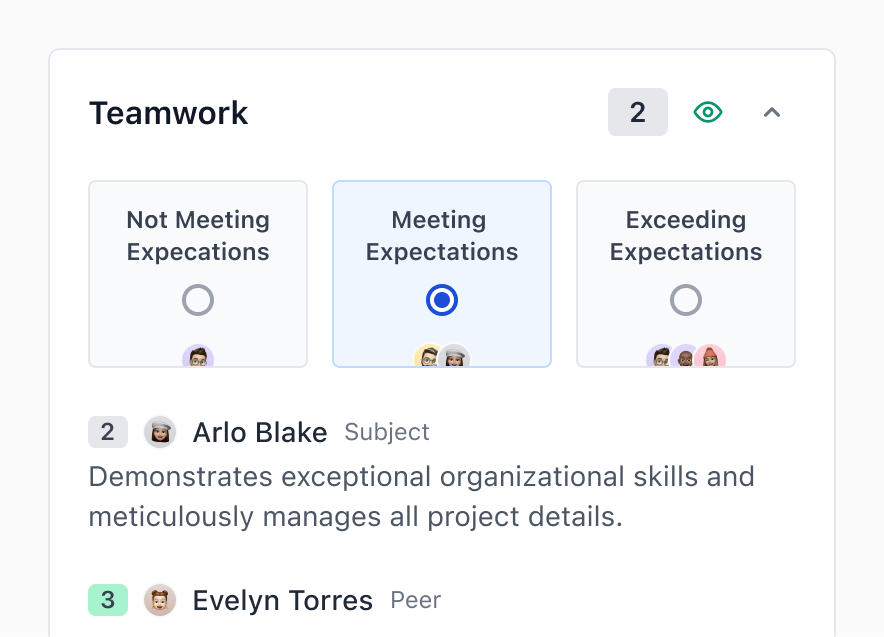
I designed the meeting experience to ensure that topics, action items, and key takeaways were stored in a way that the review system could utilize later. Now, when a manager opens the context panel during a review (shown on the Reviews page), their meeting notes and AI-generated summaries appear alongside the relevant review question — connecting weekly conversations to periodic evaluations without any extra work from the manager.
Earning a Place in Existing Workflows
The harder challenge was convincing managers to use Topicflow for meetings at all. Most already had a system that worked well enough, so the experience needed to be simpler, and more intuitive than tools like Notion or OneNote — while offering what they couldn’t: a direct connection to reviews. I focused on making the first interaction frictionless: one click from the sidebar to start adding topics, no setup required, and immediate value from AI summaries on previous meetings.
Outcome: 30% Adoption Among Existing Customers
Most of our customers initially bought Topicflow for performance reviews. We successfully marketed the meetings features to these existing customers, and within a few months, 30% of managers were actively using them for 1:1s and team meetings. That regular usage fed the system with context that made their next review cycle faster and more informed — validating the core bet that meetings and reviews should be connected.
What I Learned
This project taught me that the most complicated design challenge isn’t building the right feature — it’s earning a place in someone’s existing workflow. Managers already had tools for meeting notes; they didn’t need another one. What they needed was for their weekly conversations to actually matter when review season came around, without adding any extra work to their day.
Designing for this required restraint. Every feature had to justify its existence not by what it could do, but by whether a busy manager would actually use it. That constraint shaped every decision, from the lightweight topic format, to the separated AI summaries. This is a principle that I now carry into every project.
 Topicflow
 Product Designer
 Product Manager
 Customer Success
 Vancouver, BC (Hybrid)
 2025
2025